Now you will see two tabs at the top, General and Connection. On the General Tab you will see this screen:
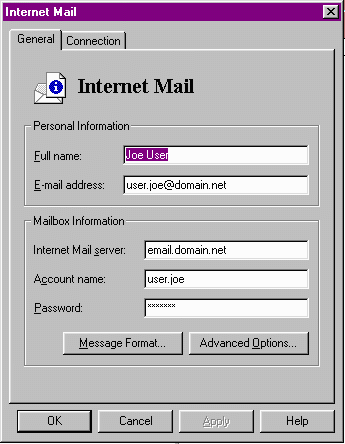
Under Personal Information enter:
The name on the account and the full e-mail address on the account.
Under the Mailbox Information enter:
Internet e-mail server - Email Server (i.e. email.domain.net)
Account Name - Your User Name (for example -- smith.jon)
Password - Your Password
Now switch to the Connections Tab.