Connection Tab Configuration
Microsoft Exchange / Messaging Setup
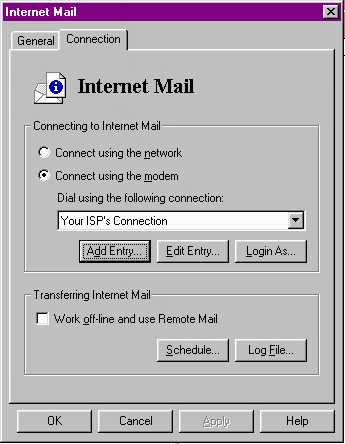
Activate the "Connect using a modem" Radio button if it isn't already.
Make sure that the "Connect Using the following connection" shows Your
ISP's Connection. If not, change it.
Click the Login As button.
Enter the user name.
Enter the password.
Then OK this.
OK all Windows now until back at the main window of Exchange.
NEXT
BACK